
Client portal development that gives customers a useful next step.
Give clients a place to find the information they need and complete the tasks that move their work forward. Zyndix builds custom portals for requests, documents, approvals and progress updates, connected to the process behind your service.
Decide what a client should be able to do
A portal should have a clear purpose. It might let a client submit the information needed to start a project, find the latest document, approve a deliverable, or check the status of a request. We begin with those tasks and define what your team needs on the other side.
Features to consider for the first version.
Accounts and access
Who can sign in, which organization they belong to, and which records they can see.
Requests and forms
Collect the information needed for a defined task and send it into the team’s workflow.
Documents
Share files with appropriate access and a clear record of the current version.
Status and approvals
Show the next action, its owner and the information needed to complete it.
Notifications
Let people know when there is something to review or provide.
Administration
Let staff manage the records and permissions needed to run the service.
These are scoping options, not a fixed package. The first release should include the functions that justify asking your clients to use another system.
Connect it to how the work is managed
We review which system owns customer details, project status and documents. The portal can connect to existing tools where suitable access is available. That decision matters: a new interface should not create a second set of records that staff must keep synchronized by hand.
When to build and when to use an existing product
An existing portal product may fit a straightforward requirement. Custom development is worth considering when you need specific permissions, unusual workflows, or integrations the available options cannot provide. We discuss both approaches before deciding the scope.
Related application work
Scholarcert is a product we built for managing and issuing digital certificates. Its application and integration work demonstrate capabilities relevant to custom business software. It is a related product example, not a claim that we have already delivered your proposed client portal.
Explore the Scholarcert build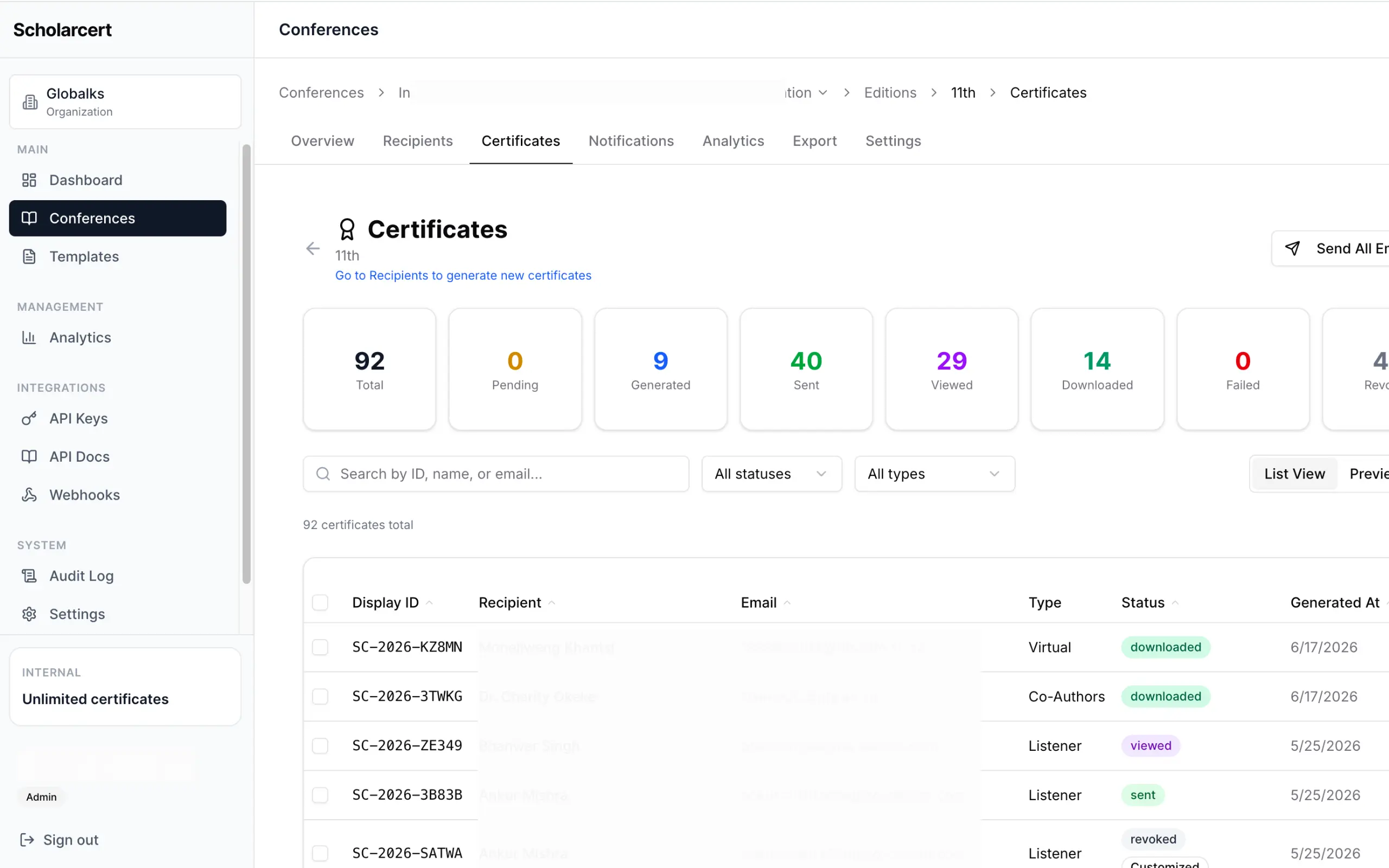
Plan the first release
Choose one client journey worth improving.
Define the client and staff roles, records and permissions.
Confirm the integrations and agree a first-release scope.
Build and test the journey with representative accounts and data.
Prepare account administration, handover and ongoing support arrangements.
Planning your first release? Use our client portal features checklist to define the client journey and test what belongs in scope.
Questions
What do your clients repeatedly need from your team?
Bring a few examples of the requests, documents or updates involved. We’ll discuss which parts belong in a portal and how the first release could work.